Website security is an important part of providing a safe browsing experience. One way modern browsers and web servers work together to improve security is through the Upgrade-Insecure-Requests HTTP header.
This header communicates a browser’s preference for secure connections when accessing a website. It can help websites avoid insecure HTTP navigation when an HTTPS version is available.
In this guide, we’ll explain what the Upgrade-Insecure-Requests header does, how it works, how it differs from other HTTPS security mechanisms, and what developers should consider when using it.
1. Understanding the Basics of HTTP
HTTP stands for Hypertext Transfer Protocol. It is the communication protocol used by web browsers and servers to exchange information.
When you visit a website, your browser sends an HTTP request to the web server. The server processes the request and sends back a response containing the requested content, such as HTML, images, stylesheets, or JavaScript files.
Traditional HTTP does not encrypt the communication between the browser and the server. This means that information transmitted over an unprotected connection may be intercepted or modified by someone who can access the network traffic.
2. Understanding HTTP vs. HTTPS
HTTPS stands for Hypertext Transfer Protocol Secure. It uses Transport Layer Security (TLS) to encrypt communication between a browser and a web server.
Unlike an ordinary HTTP connection, HTTPS helps protect information exchanged between the client and server from interception and unauthorized modification while it is being transmitted.
Some important benefits of HTTPS include:
- Encryption: Protects data exchanged between the browser and server from being easily read by unauthorized parties.
- Data integrity: Helps prevent transmitted information from being modified without detection.
- Authentication: Uses digital certificates to help the browser verify the identity of the website it connects to.
- Privacy: Reduces the risk of sensitive information being exposed during transmission.
For these reasons, websites should use HTTPS across their pages and resources wherever possible.
3. What Is the Upgrade-Insecure-Requests HTTP Header?
The Upgrade-Insecure-Requests header is an HTTP request header that indicates the client’s preference for secure connections.
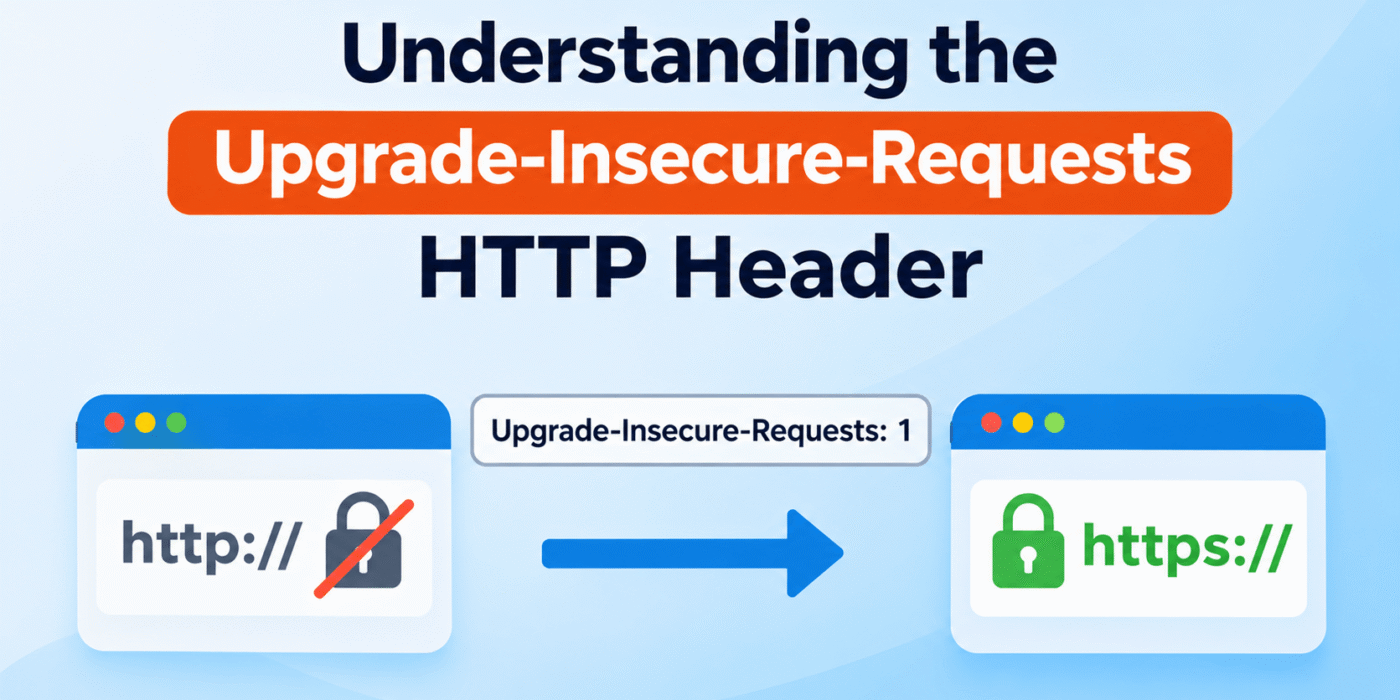
When a browser sends this header with the value 1, it tells the server that the client supports upgrading insecure requests to secure HTTPS requests.
A typical request header looks like this:
Upgrade-Insecure-Requests: 1
This header is commonly sent by modern browsers when requesting web pages. A server can use this information to decide whether to redirect an HTTP request to its HTTPS equivalent, provided the secure version of the resource is available.
It is important to understand that this header does not automatically upgrade every HTTP request by itself. It communicates the client’s preference, while the server and browser handle the appropriate security behavior.
4. How Does Upgrade-Insecure-Requests Work?
The general process involves communication between the browser and the web server.
- A user visits a website using an HTTP URL.
- The browser sends an HTTP request that may include the
Upgrade-Insecure-Requests: 1header. - The web server receives the request and can check whether the header is present.
- If the server supports HTTPS and the secure version of the requested page is available, it can redirect the browser to the HTTPS URL.
- The browser makes a new request using HTTPS and establishes a secure TLS connection.
For example, a browser might initially request:
GET /about/ HTTP/1.1
Host: example.com
Upgrade-Insecure-Requests: 1
If the server is configured to redirect HTTP traffic to HTTPS, it may respond with a permanent redirect:
HTTP/1.1 301 Moved Permanently
Location: https://example.com/about/
The browser can then request the secure URL.
The redirect is performed by the server configuration or application logic. The presence of the request header simply provides additional information about the client’s preference.
5. How to Check the Upgrade-Insecure-Requests Header
You can inspect the request headers sent by your browser using the browser’s developer tools.
Follow these steps:
- Open your website in a modern browser.
- Open the browser’s developer tools.
- Select the Network tab.
- Reload the page.
- Select the main document request.
- Look under Request Headers.
If your browser sends the header, you should see an entry similar to:
Upgrade-Insecure-Requests: 1
Keep in mind that the header’s presence depends on the browser and request context. Not every HTTP request will necessarily contain it.
6. Upgrade-Insecure-Requests vs. Content Security Policy
There is another similarly named security feature that developers should understand: the Content Security Policy (CSP) directive upgrade-insecure-requests.
Although the names are similar, the request header and the CSP directive serve different purposes.
Upgrade-Insecure-Requests request header
This is a request header sent by the browser to communicate its preference for secure connections:
Upgrade-Insecure-Requests: 1
Content Security Policy upgrade-insecure-requests directive
This is a CSP directive configured by the website. It instructs supporting browsers to treat a page’s insecure resource URLs as HTTPS URLs.
For example, a website can send the following response header:
Content-Security-Policy: upgrade-insecure-requests
This directive can help upgrade insecure resource requests, such as HTTP image, stylesheet, and script URLs, to HTTPS before they are requested.
However, it does not replace proper HTTPS configuration. The secure versions of the resources must exist, and the server must be configured to serve them correctly.
For more information, read the official MDN documentation for the Upgrade-Insecure-Requests header and the CSP upgrade-insecure-requests directive documentation.
7. Benefits of Upgrade-Insecure-Requests
The Upgrade-Insecure-Requests header can be useful when a website wants to recognize clients that prefer secure connections.
Some potential benefits include:
- Better HTTPS handling: Servers can use the header as an additional signal when deciding how to handle HTTP requests.
- Improved security: When combined with HTTPS redirects and proper server configuration, it can help users reach secure versions of pages.
- Compatibility with secure browsing: It supports browser and server behavior that favors encrypted connections.
- Useful request information: Developers can inspect the header to understand whether a client is indicating support for secure upgrades.
However, the header alone does not guarantee that a website or all its resources will use HTTPS. Proper server-side configuration remains essential.
8. Limitations and Important Considerations
Although the Upgrade-Insecure-Requests header is useful, it is not a complete website security solution.
Keep the following considerations in mind:
- HTTPS must be configured: Your website needs a valid TLS certificate and a properly configured HTTPS server.
- The header does not force HTTPS: It communicates a client preference but does not independently redirect requests.
- Resources must support HTTPS: Images, scripts, stylesheets, and other resources need accessible HTTPS versions.
- Browser behavior can vary: Header support and behavior depend on the browser and request context.
- It does not replace CSP: The request header and the CSP directive have different roles.
- Use HTTPS redirects: Configure your server to redirect HTTP traffic to HTTPS when appropriate.
You should also consider implementing HTTP Strict Transport Security (HSTS). HSTS is a separate response header that tells supporting browsers to use HTTPS for future connections to your domain according to the configured policy.
For more information, see the official Strict-Transport-Security documentation.
Conclusion
The Upgrade-Insecure-Requests HTTP header is a useful part of modern web security. It allows browsers to communicate their preference for secure connections, giving servers additional information when handling HTTP requests.
However, the header does not automatically convert every insecure request into HTTPS. Website owners should configure HTTPS correctly, redirect HTTP traffic where appropriate, and use security mechanisms such as Content Security Policy and HSTS when suitable.
Understanding the difference between the request header and the CSP directive will help developers implement secure browsing behavior more effectively.