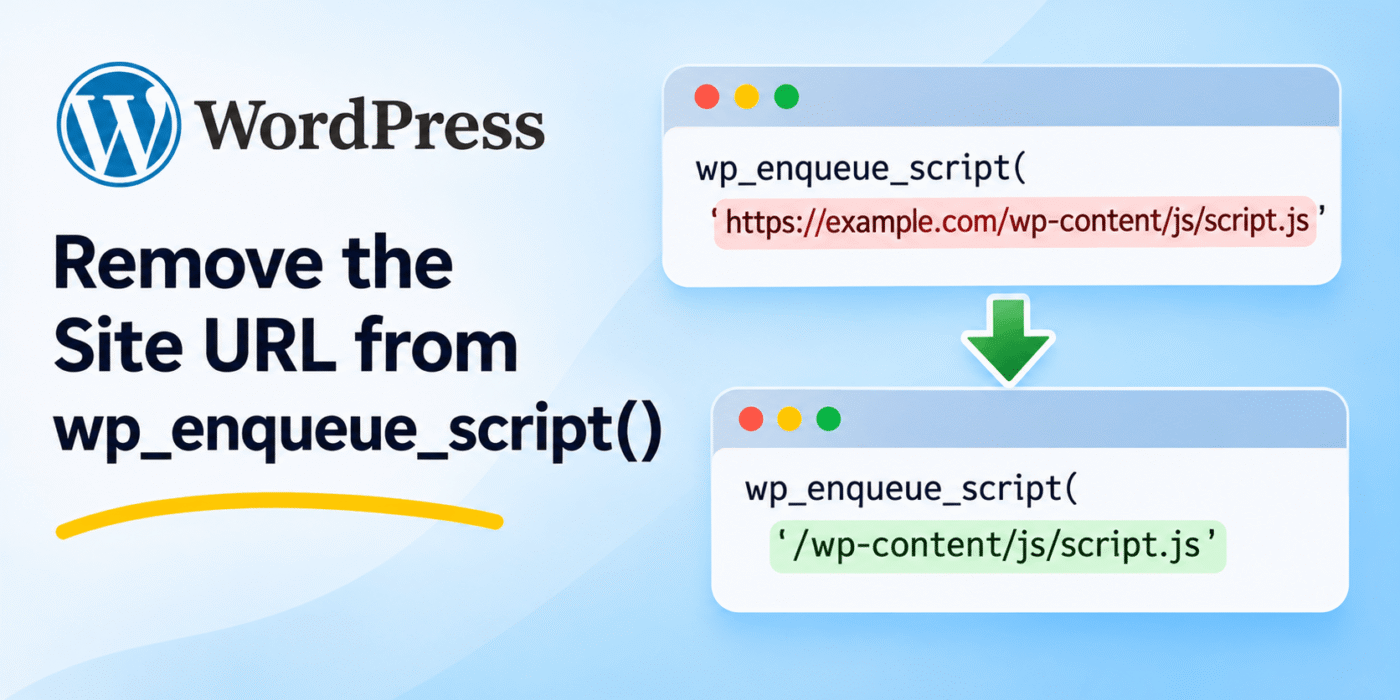
WordPress provides the wp_enqueue_script() function to load JavaScript files on your website. By default, WordPress generates script URLs using the site’s configured URL.
In some situations, you may want to remove the domain from these URLs or convert absolute URLs into relative URLs. This can be useful when working with specific server configurations, development environments, or projects that require a different URL format.
You can modify script and stylesheet URLs using WordPress filters. In this tutorial, we will look at how to remove the site URL from enqueued scripts and styles without installing an additional plugin.
1. Which WordPress Filters Should You Use?
WordPress provides two filters that allow you to modify the URLs generated for enqueued JavaScript and CSS files:
script_loader_src– Filters the URL of an enqueued JavaScript file.style_loader_src– Filters the URL of an enqueued stylesheet.
You can use these filters to change the URLs before WordPress outputs the corresponding script or link tags.
For more information, refer to the official WordPress documentation for script_loader_src and style_loader_src.
2. Remove the Site URL from Stylesheet URLs
If you only want to modify stylesheet URLs, use the style_loader_src filter.
The following example removes the site URL from frontend stylesheet URLs:
<?php

function geekerhub_remove_site_url_from_stylesheet( $url ) {

    if ( is_admin() ) {
        return $url;
    }

    return str_replace( site_url(), '', $url );
}

add_filter(
    'style_loader_src',
    'geekerhub_remove_site_url_from_stylesheet'
);
The str_replace() function removes the matching site URL from the stylesheet URL.
For example, a URL like this:
https://example.com/wp-content/themes/mytheme/style.css
Will become:
/wp-content/themes/mytheme/style.css
The is_admin() check prevents this modification from being applied to stylesheet URLs in the WordPress administration area.
3. Remove the Site URL from JavaScript URLs
If you also want to remove the site URL from JavaScript files, use the script_loader_src filter.
<?php

function geekerhub_remove_site_url_from_script( $url ) {

    if ( is_admin() ) {
        return $url;
    }

    return str_replace( site_url(), '', $url );
}

add_filter(
    'script_loader_src',
    'geekerhub_remove_site_url_from_script'
);
This applies the same URL modification to frontend JavaScript files loaded through WordPress’s enqueue system.
4. Remove the Domain from Both Script and Stylesheet URLs
Instead of maintaining two separate callback functions, you can use one function for both filters.
<?php

function geekerhub_remove_site_url_from_assets( $url ) {

    if ( is_admin() ) {
        return $url;
    }

    return str_replace( site_url(), '', $url );
}

add_filter(
    'script_loader_src',
    'geekerhub_remove_site_url_from_assets'
);

add_filter(
    'style_loader_src',
    'geekerhub_remove_site_url_from_assets'
);
Add this code to your child theme’s functions.php file or a custom plugin.
If you are building your own plugin to manage custom WordPress functionality, you can also refer to our guide on creating a custom plugin in WordPress.
5. Use Protocol-Relative URLs Instead
Another option is to remove the http: or https: portion of a URL while keeping the domain and remaining path.
This produces a protocol-relative URL that begins with //.
For example:
https://example.com/wp-content/themes/mytheme/style.css
Becomes:
//example.com/wp-content/themes/mytheme/style.css
You can use the following code to apply this change to frontend stylesheet URLs:
<?php

function geekerhub_make_stylesheet_url_protocol_relative( $url ) {

    if ( is_admin() ) {
        return $url;
    }

    return preg_replace( '/^https?:/', '', $url );
}

add_filter(
    'style_loader_src',
    'geekerhub_make_stylesheet_url_protocol_relative'
);
If you want the same behavior for JavaScript files, register the callback with script_loader_src as well.
A protocol-relative URL uses the same protocol as the current page. However, this format is not generally necessary on modern websites. Using HTTPS URLs directly is usually simpler and clearer.
Important Things to Consider
- Removing the domain does not improve security by itself: Relative URLs do not hide your website’s identity or protect script files.
- Check external scripts: The examples above use a direct string replacement. Make sure the URL being modified belongs to your own site and that external CDN URLs remain unchanged.
- Check your WordPress URL settings: The site URL returned by
site_url()may differ from the public website URL returned byhome_url(). - Test frontend functionality: Check JavaScript files, stylesheets, browser developer console errors, and network requests after applying the filters.
- Consider caching: Clear your WordPress, server, and CDN caches after changing asset URLs.
- Use a child theme or custom plugin: Avoid editing a parent theme if you want your changes to remain after theme updates.
Conclusion
You can modify WordPress script and stylesheet URLs using the script_loader_src and style_loader_src filters.
Use str_replace() when you specifically want to remove the site URL, or use a regular expression to convert an absolute URL into a protocol-relative URL.
Choose the approach that matches your project requirements and test the resulting asset URLs before using it on a live website.