WordPress is a popular platform for building websites, blogs, and online stores. Whether you want to create a personal blog or manage a business website, learning how WordPress works can help you build and maintain your site more effectively.
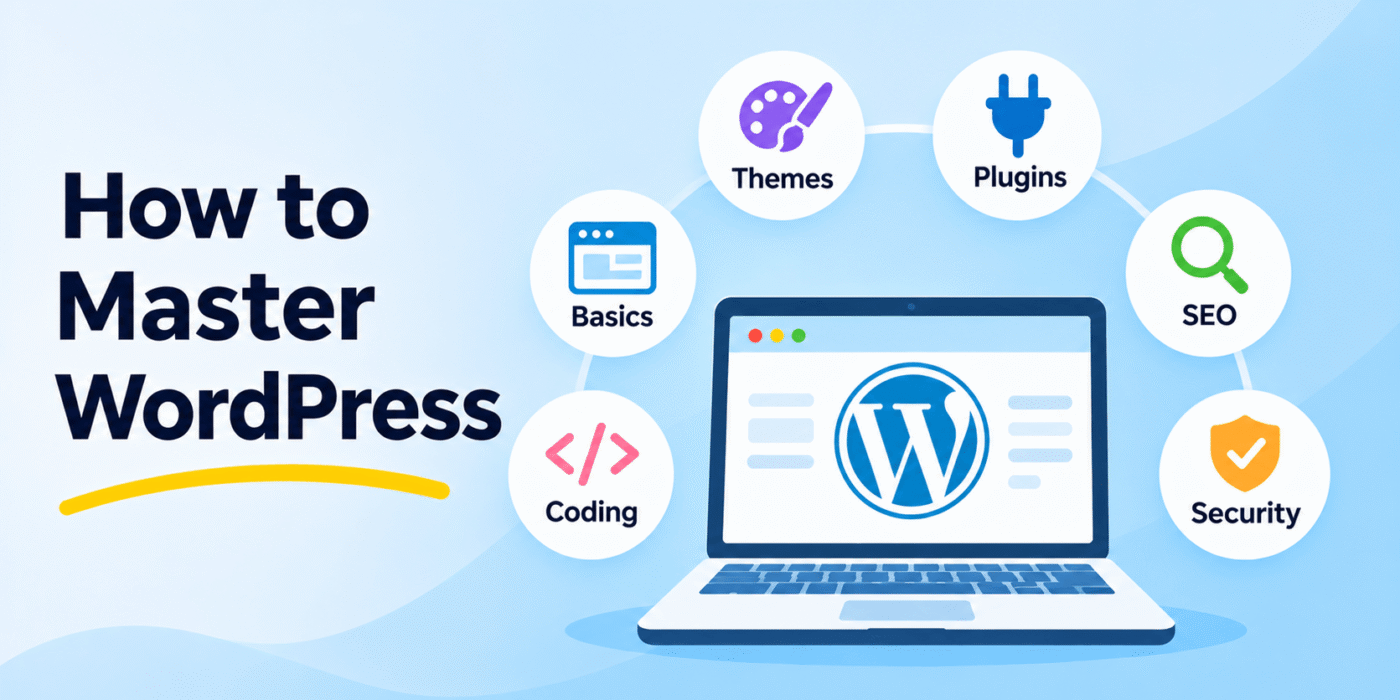
If you are new to WordPress, getting familiar with its dashboard, themes, plugins, and basic website management tasks is a good place to start. In this guide, we’ll cover six important areas that can help you become more confident using WordPress.
1. Learn the WordPress Basics
Start by understanding the WordPress dashboard and its main features. The dashboard is where you manage most of your website’s content and settings.
Learn how to:
- Create, edit, and publish posts and pages.
- Upload and manage images and other media files.
- Organize content using categories and tags.
- Manage comments and website users.
- Configure basic website settings.
Spend some time exploring the dashboard and practicing these tasks. You can also use the official WordPress documentation to understand the platform’s features and workflows.
2. Understand WordPress Themes
WordPress themes control the appearance and layout of your website. A theme can change your site’s colors, typography, page layouts, navigation, and other visual elements.
To work confidently with themes, learn how to:
- Install and activate a WordPress theme.
- Customize colors, fonts, menus, and layouts.
- Use the Site Editor when working with a compatible block theme.
- Understand the difference between classic themes and block themes.
- Use a child theme when making code-level customizations that should remain after theme updates.
Choose a theme that suits your website’s purpose and provides the features you actually need. Avoid installing too many themes or making direct changes to a theme’s original files.
3. Learn How to Use WordPress Plugins
Plugins extend WordPress by adding features that are not included in the core platform. For example, you can use plugins to create contact forms, improve SEO, add security features, manage backups, or build an online store.
When working with plugins, learn how to:
- Install and activate plugins.
- Configure plugin settings.
- Update plugins safely.
- Check plugin compatibility before installation.
- Deactivate and remove plugins you no longer need.
Install plugins from trusted sources and avoid using multiple plugins that provide the same functionality. If you want to understand how custom functionality works, read our guide on creating a custom plugin in WordPress.
4. Understand HTML, CSS, and JavaScript
You do not need to become an expert programmer to use WordPress. However, learning some basic HTML, CSS, and JavaScript can make website customization and troubleshooting much easier.
- HTML: Defines the structure of website content, such as headings, paragraphs, links, and images.
- CSS: Controls how website elements look, including colors, spacing, fonts, and layouts.
- JavaScript: Adds interactive behavior, such as menus, form interactions, and dynamic page elements.
Start with simple tasks, such as changing text styles, adjusting spacing, or adding a small interactive feature. Practice on a local development site or staging website before making changes to a live website.
5. Learn the Basics of SEO
Search engine optimization (SEO) helps search engines understand your website and its content. A well-organized website with useful content can make it easier for visitors to discover your pages through search results.
Start with these basic SEO practices:
- Write useful and original content for your audience.
- Use descriptive page titles and meta descriptions.
- Organize content with clear headings.
- Use descriptive URLs and meaningful internal links.
- Add relevant alternative text to informative images.
- Make sure your website works well on mobile devices.
- Improve page loading speed and overall usability.
SEO is an ongoing process. Review your website regularly and update content when necessary. You can also read our guide on adding SEO-friendly meta tags dynamically in WordPress.
6. Understand WordPress Security and Maintenance
Keeping WordPress secure and updated is an important part of managing a website. Regular maintenance helps reduce security risks and keeps your website functioning properly.
Follow these basic maintenance practices:
- Keep WordPress core, themes, and plugins updated.
- Use strong passwords and enable two-factor authentication where available.
- Give users only the permissions they need.
- Use a reputable security plugin or suitable server-level security measures.
- Create regular backups and check that they can be restored.
- Use HTTPS to protect data exchanged between your website and visitors.
- Remove unused themes and plugins.
It is also a good idea to test updates on a staging website before applying them to an important live site. This can help you identify compatibility problems before they affect visitors.
Where Can You Learn WordPress?
There are many resources available to help you improve your WordPress skills. You can learn through documentation, tutorials, online courses, and developer communities.
Here are some useful resources to explore:
- WordPress Documentation: Official guides covering WordPress features and website management.
- Learn WordPress: Free tutorials, courses, and learning materials.
- WordPress Developer Resources: Technical documentation for developers who want to customize or extend WordPress.
- WordPress Support Forums: A community where you can ask questions and discuss WordPress issues.
You can also explore courses on platforms such as Udemy and Coursera. Choose learning materials that match your current skill level and focus on practical exercises rather than only watching tutorials.
Conclusion
Mastering WordPress takes time, practice, and consistent learning. Start with the dashboard and basic content management, then move on to themes, plugins, coding fundamentals, SEO, and website security.
You do not need to learn everything at once. Work on a small website, experiment with different features, and solve practical problems as you go. With regular practice and the right learning resources, you can gradually become more confident and capable of building and managing WordPress websites.