Choosing the right hosting provider is an important decision when building a WordPress website. Your hosting service affects website speed, uptime, security, backups, and how easily you can manage your website as it grows.
There are many hosting companies offering WordPress plans. Some are designed for beginners, while others focus on managed hosting, developer tools, or websites with high traffic. The best option depends on your budget, technical experience, website requirements, and expected growth.
This guide introduces ten hosting providers to consider and explains the main features to compare before choosing a plan.
What to Consider When Choosing WordPress Hosting
Before comparing hosting companies, identify what your website needs. A small blog may work well with an entry-level shared hosting plan, while a busy WooCommerce store may need more server resources and specialized support.
- Performance: Look for suitable server resources, modern storage, caching options, and a content delivery network (CDN).
- Uptime: Check the provider’s uptime commitments and how it reports service interruptions.
- Security: Review SSL support, malware protection, firewalls, account isolation, and backup options.
- Backups: Check how often backups run, how long they are retained, and whether restoring a backup costs extra.
- Support: Choose a provider with support channels and technical knowledge that match your needs.
- Scalability: Make sure you can upgrade your plan as your website traffic and resource requirements increase.
- Pricing: Compare introductory prices with renewal rates. Also check additional charges for migrations, email, backups, and premium features.
10 WordPress Hosting Providers to Consider
The following companies offer hosting services that can be used for WordPress websites. Their plans and features differ, so compare the current specifications and pricing before making a decision. This list is not a ranking, and the best choice will depend on your requirements.
1. Bluehost
Bluehost is a widely known hosting provider with plans aimed at individuals, bloggers, and small businesses. It offers WordPress hosting options and tools intended to make website setup easier.
Features to review include:
- WordPress installation: Setup tools help users get a WordPress website running without manually configuring every component.
- SSL support: Check the SSL certificate included with your selected plan.
- Hosting upgrades: Different plans provide options for websites with different resource requirements.
- Website management: Hosting tools help manage domains, websites, and related settings.
- Customer support: Review the available support channels and response options.
Bluehost may be worth considering if you are starting a new WordPress website and want a hosting plan with guided setup tools.
2. SiteGround
SiteGround offers managed WordPress hosting features, performance tools, and website management options. It is an option for website owners who want hosting tools designed around common WordPress tasks.
Features to compare include:
- Managed WordPress tools: Review the available WordPress installation, update, and management features.
- Caching: SiteGround provides caching tools intended to improve website response times.
- Security: Check the included SSL, firewall, and security features.
- Backups: Review backup frequency, retention periods, and restoration options for your plan.
- Server locations: Consider the available data center locations in relation to your visitors.
SiteGround is worth comparing if you want WordPress-focused management and built-in performance tools.
3. WP Engine
WP Engine specializes in managed WordPress hosting. Its services are aimed at website owners, businesses, and development teams that want a hosting environment focused on WordPress.
Features to consider include:
- Managed hosting: Review which maintenance and platform management tasks are handled by the provider.
- Staging environments: Staging tools let you test website changes before deploying them to the live website.
- Performance tools: Check the caching and CDN features included in the selected plan.
- Security: Review the platform’s security features and how vulnerabilities are handled.
- Developer workflow: Check the available tools for development, testing, and deployment.
WP Engine may suit businesses and developers who prefer managed WordPress hosting and need a structured development workflow.
4. DreamHost
DreamHost provides general web hosting and WordPress-specific hosting plans. It offers options for individuals and businesses looking to host WordPress websites.
Features to compare include:
- WordPress setup: Review the installation and website management tools.
- Storage: Check the storage type and capacity included with your plan.
- SSL certificates: Confirm the SSL options available for your domain.
- Backups: Check the backup schedule and restoration process.
- Hosting control panel: Review the control panel and available website management features.
DreamHost is another provider to compare when looking for WordPress-compatible hosting with different plan options.
5. HostGator
HostGator offers web hosting plans for different types of websites, including WordPress installations. Its plans and included resources vary, so review the details before purchasing.
Features to check include:
- WordPress installation: Review the available setup options.
- SSL support: Confirm whether SSL is included in the plan.
- Storage and bandwidth: Check the plan’s resource limits and usage policies.
- Backups: Confirm whether automatic backups are included or offered as an additional service.
- Support: Check the available technical support channels.
HostGator can be included in your comparison if you want to evaluate different shared and WordPress hosting plans.
6. A2 Hosting
A2 Hosting is now part of the hosting brand known as Hosting.com. If you are comparing older A2 Hosting recommendations, check the current Hosting.com website for available plans and services.
When reviewing its hosting options, look at:
- Server performance: Compare the resources and performance features included in each plan.
- Developer access: Check support for tools such as SSH and the PHP versions your project requires.
- WordPress support: Review the available installation and management tools.
- Backups: Check backup availability and restoration options.
- Migration: Confirm whether website migration assistance is available.
This provider may be relevant if you need developer-oriented hosting features, but compare the current plans rather than relying on older A2 Hosting feature descriptions.
7. InMotion Hosting
InMotion Hosting offers web hosting and WordPress hosting services for individuals and businesses. It also provides hosting options for users who need more resources as their websites grow.
Features to review include:
- WordPress hosting: Compare the available WordPress plans and included resources.
- Website migration: Check whether migration assistance is included with your selected plan.
- Security: Review the security tools and SSL options.
- Backups: Confirm the backup schedule and whether restoration is included.
- Customer support: Check the support channels and service availability.
InMotion Hosting is worth comparing if you want different hosting options and access to migration support.
8. Flywheel
Flywheel focuses on managed WordPress hosting and provides tools for designers, freelancers, and agencies managing multiple WordPress websites.
Features to consider include:
- Managed WordPress hosting: Review the maintenance and hosting tasks handled by the platform.
- Staging and site cloning: These tools can help test changes and create development copies.
- Backups: Check the backup schedule and restoration process.
- Security: Review the available malware scanning and website protection features.
- Team workflows: Check whether collaboration and client management features suit your work.
Flywheel may be a useful option for agencies and developers who manage several client websites and want managed WordPress tools.
9. Kinsta
Kinsta provides managed WordPress hosting built on Google Cloud infrastructure. Its hosting platform is aimed at businesses, developers, and website owners who need managed services and performance tools.
Features to compare include:
- Cloud infrastructure: Review the available infrastructure and data center locations.
- Performance: Check the caching, CDN, and performance tools included with your plan.
- Staging environments: Use staging sites to test updates and development changes.
- Backups: Compare backup frequency, retention, and restoration options.
- Site management: Review the dashboard and tools for managing multiple WordPress installations.
Kinsta may suit websites that need managed WordPress hosting and a hosting platform with development and site management tools.
10. Hostinger
Hostinger offers web hosting and WordPress hosting plans for personal websites, blogs, and businesses. Its plans include website management tools and WordPress setup options.
Features to review include:
- WordPress setup: Check the installation and website creation tools.
- Performance: Compare server resources and caching options.
- Security: Review SSL, malware protection, and account security features.
- Backups: Check which backup options are included in your plan.
- Plan limits: Review website, storage, bandwidth, and resource limits before purchasing.
Hostinger is another option to compare if you are looking for a hosting plan with website setup and management tools.
How to Choose the Right Hosting Provider
There is no single hosting provider that is best for every WordPress website. Your choice should depend on the type of website you are building and the resources it needs.
For a Personal Blog or Small Website
If you are starting a personal blog or a small business website, a suitable shared hosting plan may be enough. Focus on reliable support, SSL, backups, and an upgrade path rather than paying for resources you do not currently need.
For a WooCommerce Store
An online store needs more than basic website hosting. Product pages, customer accounts, checkout requests, and background tasks can use additional server resources.
Compare hosting plans based on PHP worker limits, memory, database performance, caching compatibility, backup options, and support for WooCommerce. Make sure the hosting configuration does not cache sensitive pages such as the cart and checkout.
For Developers and Agencies
Developers and agencies may benefit from staging environments, SSH access, Git workflows, database tools, and the ability to manage multiple websites.
Check whether the hosting provider supports the PHP versions and server features required by your projects. Also review how easily you can move websites between development, staging, and production environments.
Test Your Hosting Before Committing
Do not choose a hosting provider based only on promotional claims. If possible, test the service before moving an important website to it.
- Check website response times from the locations where your visitors are based.
- Test the website during normal and busy traffic periods.
- Review the hosting dashboard and website management tools.
- Test backup restoration rather than only checking whether backups exist.
- Contact support with a technical question and evaluate the response.
- Review renewal pricing, cancellation terms, and refund conditions.
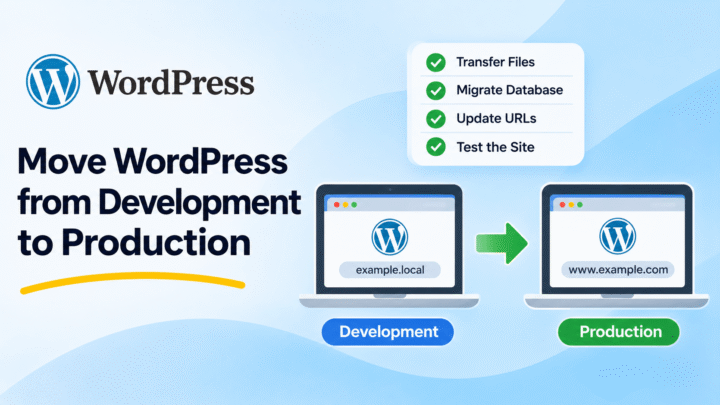
You should also keep a separate backup of your website before changing hosting providers. If you need to move an existing WordPress website, see our guide on moving WordPress from development to production.
Conclusion
Choosing the best WordPress hosting requires more than comparing prices. You should consider performance, security, backups, customer support, scalability, and the resources your website needs.
Bluehost, SiteGround, WP Engine, DreamHost, HostGator, Hosting.com, InMotion Hosting, Flywheel, Kinsta, and Hostinger are providers you can include in your research. Their plans are not identical, and some are focused more on managed WordPress hosting than others.
Compare the current plan details and renewal prices before making a decision. Choose a hosting service that meets your website’s requirements today and gives you room to grow.