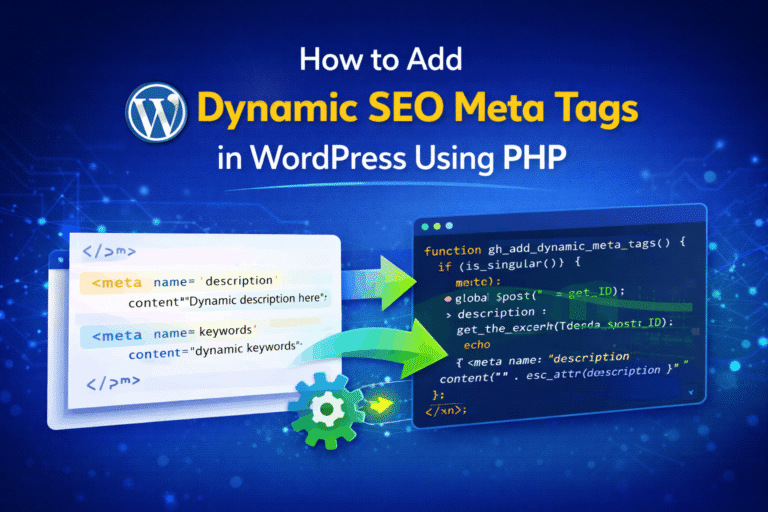
When you build a WordPress site, one thing you notice quickly —
most pages end up with the same meta title and description.
That’s bad for SEO.
If you don’t fix it, search engines will:
- show duplicate descriptions
- ignore your pages
- reduce your ranking
So instead of adding meta tags manually for every post, a better approach is:
👉 generate them dynamically using PHP
In this guide, I’ll show you a clean and practical way to do it.
Why Dynamic Meta Tags Matter
Let’s keep it simple.
Every page should have:
- unique title
- unique description
If all pages share the same meta:
- Google gets confused
- users don’t click
Dynamic meta tags solve this by using:
- post title
- post excerpt
- post content
👉 automatically
Where Should You Add This Code?
You have two options:
Option 1: functions.php (Quick Setup)
Good if:
- you are working on one site
- using a custom theme
Option 2: Custom Plugin (Recommended)
Better if:
- you want reusable code
- you don’t want to lose changes after theme update
👉 As a developer, I prefer custom plugin for long-term projects.
Step 1: Hook into <head> Using wp_head
WordPress gives a hook called:
add_action('wp_head', 'your_function_name');
This lets you inject meta tags inside the <head> section.
Step 2: Basic Dynamic Meta Tags Code
Here is a clean version you can use:
function gh_add_dynamic_meta_tags() {

    if (!is_singular()) {
        return;
    }

    global $post;

    if (!$post) {
        return;
    }

    // Title
    $title = get_the_title($post->ID);

    // Description
    if (has_excerpt($post->ID)) {
        $description = get_the_excerpt($post->ID);
    } else {
        $description = wp_trim_words(
            wp_strip_all_tags($post->post_content),
            25
        );
    }

    // Clean spaces
    $description = trim(preg_replace('/\s+/', ' ', $description));

    echo '<meta name="description" content="' . esc_attr($description) . '">' . "\n";

}
add_action('wp_head', 'gh_add_dynamic_meta_tags', 1);
Step 3: Handle Meta Title Properly (Important)
Don’t manually print <title> tag.
WordPress already handles it better.
Instead use:
add_filter('pre_get_document_title', function ($title) {

    if (is_singular()) {
        return single_post_title('', false) . ' | ' . get_bloginfo('name');
    }

    return $title;
});
👉 This keeps your title SEO-friendly and consistent.
Step 4: What About Keywords Meta Tag?
Short answer:
👉 Skip it.
Reasons:
- Google does not use it anymore
- adds unnecessary clutter
Focus on:
- title
- description
Best Practices (Important)
1. Keep Description Length in Control
- Ideal: 140–160 characters
- Too long → gets cut in search results
2. Always Escape Output
Never skip this:
esc_attr()
Why:
- prevents broken HTML
- improves security
3. Use Excerpt First
Priority should be:
- Post excerpt
- Trimmed content
Excerpt gives you better control.
4. Avoid Duplicate Logic
If you are using plugins like:
- Yoast SEO
- Rank Math
👉 Don’t add this code again
It will create:
- duplicate meta tags
- SEO conflicts
5. Limit to Relevant Pages
Use:
is_singular()
This ensures:
- only posts/pages get meta
- not archives or admin pages
functions.php vs Plugin (Final Verdict)
| Use Case | Best Option |
|---|---|
| Quick testing | functions.php |
| Production website | Custom plugin |
| Multiple projects | Custom plugin |
👉 For serious projects, always go with plugin.
Bonus: Turn This into a Simple Plugin
Create a file:
geekerhub-dynamic-meta.php
Add:
<?php
/*
Plugin Name: GeekerHub Dynamic Meta Tags
*/

add_action('wp_head', 'gh_add_dynamic_meta_tags', 1);
Activate it — done.
Common Mistakes Developers Make
- Printing
<title>manually - Not escaping output
- Using full content (too long)
- Adding keywords meta tag
- Ignoring SEO plugins conflict
Final Thoughts
Dynamic meta tags are a small change, but they make a big difference.
You:
- reduce duplicate content
- improve click-through rate
- make your site cleaner
And best part — once set, it works automatically.
If you are building custom WordPress solutions, this should be part of your base setup.
Quick Summary
- Use
wp_headfor meta description - Use WordPress filters for title
- Prefer excerpt over raw content
- Avoid keywords meta tag
- Use plugin for production
That’s it. Clean, simple, and effective.