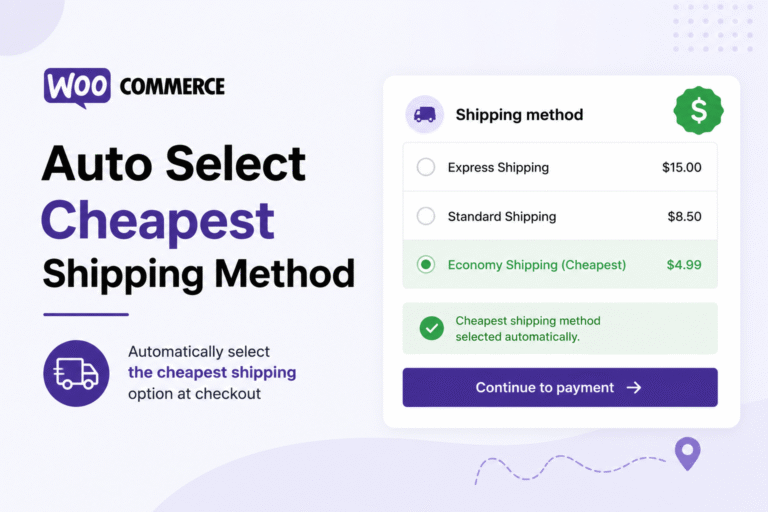
When multiple shipping methods are available during WooCommerce checkout, customers often spend extra time deciding which option to choose. In many cases, shoppers naturally select the cheapest shipping rate anyway, especially for standard purchases where delivery speed is not the main priority.
A simple way to streamline the checkout experience is to automatically preselect the lowest shipping cost available in the customer’s shipping zone. This reduces friction, speeds up checkout, and can even improve conversion rates by helping customers move through the payment process faster.
By default, WooCommerce remembers previously selected shipping methods, but it does not automatically prioritize the cheapest option every time the cart updates. Fortunately, this behavior can be customized with a lightweight PHP snippet.
In this tutorial, you’ll learn how to automatically select the cheapest WooCommerce shipping method during checkout without using additional plugins.
What This WooCommerce Snippet Does
- Scans all available WooCommerce shipping rates
- Detects the lowest shipping cost automatically
- Preselects the cheapest shipping method during checkout
- Updates dynamically when the cart changes
- Works with standard WooCommerce shipping zones
- Requires no external plugins or extensions
WooCommerce PHP Snippet: Auto Select Lowest Shipping Cost
The following snippet automatically sets the cheapest shipping option as the selected method whenever WooCommerce calculates shipping rates.
<pre class="wp-block-code"><code lang="php">
/**
 * Automatically Select Cheapest WooCommerce Shipping Method
 */

add_filter( 'woocommerce_package_rates', 'custom_wc_select_lowest_shipping_rate', 100, 2 );

function custom_wc_select_lowest_shipping_rate( $rates, $package ) {

    if ( empty( $rates ) ) {
        return $rates;
    }

    $lowest_rate_id = '';
    $lowest_cost    = null;

    /*
     * Loop through all available shipping methods
     */

    foreach ( $rates as $rate_id => $rate ) {

        $shipping_cost = (float) $rate->cost;

        if ( is_null( $lowest_cost ) || $shipping_cost < $lowest_cost ) {

            $lowest_cost    = $shipping_cost;

            $lowest_rate_id = $rate_id;
        }
    }

    /*
     * Store cheapest method in WooCommerce session
     */

    if ( $lowest_rate_id ) {

        WC()->session->set(
            'chosen_shipping_methods',
            array( $lowest_rate_id )
        );
    }

    return $rates;
}
</code></pre>
How This WooCommerce Shipping Snippet Works
The snippet hooks into WooCommerce shipping rate calculations using the woocommerce_package_rates filter.
Whenever WooCommerce loads shipping methods, the code loops through all available rates and compares their shipping costs. The method with the lowest price is automatically identified and stored as the selected shipping method inside the WooCommerce session.
As a result, customers will see the cheapest delivery option preselected during checkout automatically.
Can This Work with Free Shipping?
Yes. If Free Shipping is available, WooCommerce will automatically select it because its shipping cost is usually zero, making it the cheapest available method.
If multiple shipping methods share the same price, WooCommerce will select the first matching method returned during shipping calculation.
Where Should You Add This Code?
Add the PHP snippet to your child theme’s functions.php file or use a dedicated WordPress code snippets plugin.
Before testing, temporarily switch to the Storefront theme and disable unrelated plugins to rule out conflicts with custom shipping extensions.
Explore More Blogs : WooCommerce Disable Cash on Delivery for Specific Products