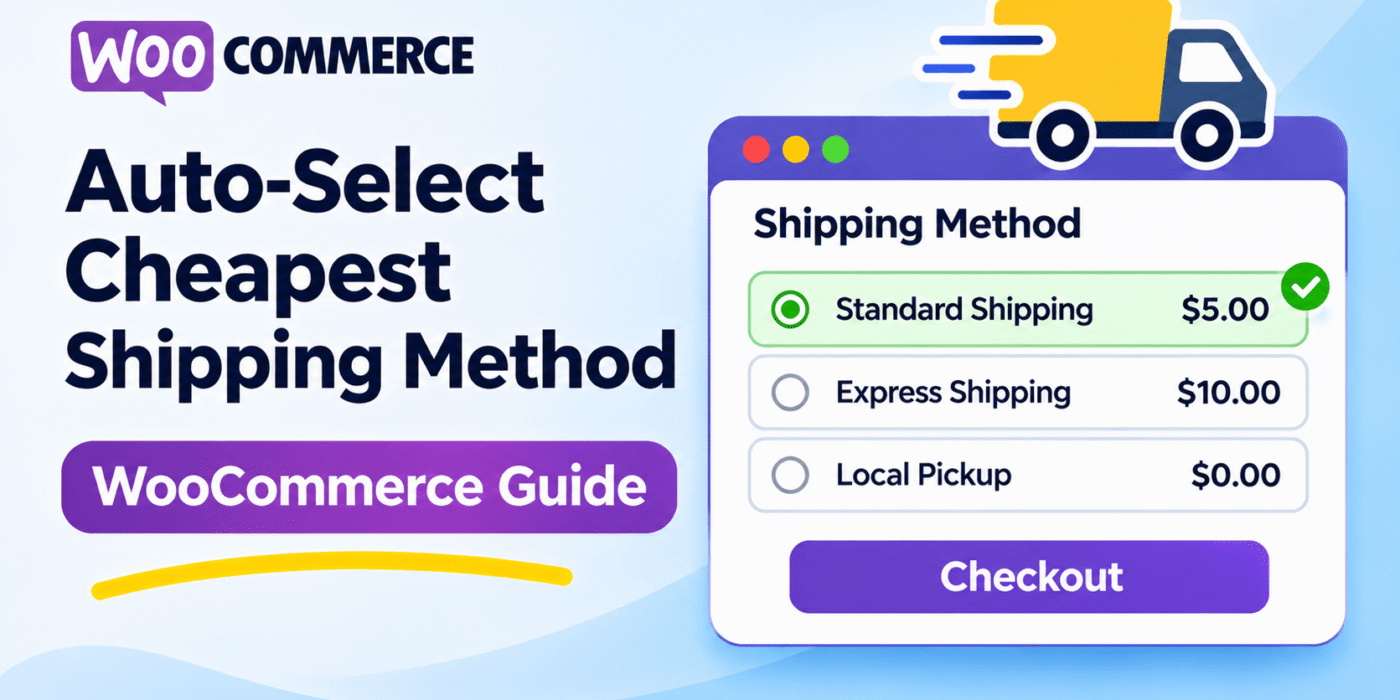
When customers reach WooCommerce checkout, they may see several delivery options with different prices. These can include Flat Rate, Free Shipping, local delivery, or rates provided by a shipping carrier. Customers who want to keep delivery costs low often choose the cheapest available option.
You can make checkout easier by automatically selecting the lowest-cost shipping method when shipping rates are calculated. Customers can still review the available options and choose another method if they prefer faster delivery or a different service.
WooCommerce provides filters that let developers customize shipping behavior with PHP. In this tutorial, you will learn how to find the cheapest available shipping rate and make it the default selection without installing a dedicated shipping plugin.
What This WooCommerce Snippet Does
- Checks the shipping rates available for a package.
- Compares the shipping costs and identifies the lowest one.
- Sets the cheapest rate as the preferred shipping method.
- Can select Free Shipping when its cost is lower than other methods.
- Works with shipping rates returned by WooCommerce.
- Does not require a dedicated shipping selection plugin.
WooCommerce PHP Snippet to Select the Cheapest Shipping Method
The following snippet checks the available shipping rates and identifies the lowest-cost option. It then updates the selected shipping method for the relevant package in the WooCommerce session.
Add this code to your child theme’s functions.php file or use a PHP code snippets plugin.
/**
 * Find the Cheapest WooCommerce Shipping Rate
 */

add_filter(
    'woocommerce_package_rates',
    'gh_find_cheapest_shipping_rate',
    100,
    2
);

function gh_find_cheapest_shipping_rate( $rates, $package ) {

    if ( empty( $rates ) || ! WC()->session ) {
        return $rates;
    }

    $cheapest_rate_id = '';
    $cheapest_cost    = null;

    // Compare the available shipping rates
    foreach ( $rates as $rate_id => $rate ) {

        $shipping_cost = (float) $rate->cost;

        if (
            null === $cheapest_cost ||
            $shipping_cost < $cheapest_cost
        ) {
            $cheapest_cost    = $shipping_cost;
            $cheapest_rate_id = $rate_id;
        }
    }

    if ( '' === $cheapest_rate_id ) {
        return $rates;
    }

    // Get the currently selected methods
    $chosen_methods = WC()->session->get(
        'chosen_shipping_methods',
        array()
    );

    if ( ! is_array( $chosen_methods ) ) {
        $chosen_methods = array();
    }

    // Identify the current package
    $package_key = array_search(
        $rates,
        WC()->shipping()->get_packages(),
        true
    );

    // Update the selected method for this package
    if ( false !== $package_key ) {
        $chosen_methods[ $package_key ] = $cheapest_rate_id;
    } else {
        $chosen_methods[0] = $cheapest_rate_id;
    }

    WC()->session->set(
        'chosen_shipping_methods',
        $chosen_methods
    );

    return $rates;
}
Important: Shipping selection can behave differently when a store uses multiple shipping packages, a custom checkout, or third-party shipping extensions. Test this code with your own checkout setup before using it on a live store. The snippet compares each rate’s base shipping cost; some extensions may apply additional charges or taxes in ways that need separate handling.
How the WooCommerce Shipping Code Works
The code uses the woocommerce_package_rates filter, which allows WooCommerce developers to work with the available shipping rates for a package.
woocommerce_package_ratesprovides the available shipping rates during shipping calculation.- The
foreachloop checks each rate and reads its shipping cost. - The comparison keeps track of the lowest cost and its corresponding rate ID.
- The WooCommerce session stores the selected shipping method so checkout can use that selection.
The code returns the original rates array, so it does not remove the other shipping options from checkout. Customers can still select another available method, depending on the behavior of your theme and checkout extensions.
Can WooCommerce Automatically Select Free Shipping?
Yes. If Free Shipping is available with a zero shipping cost, the snippet will normally identify it as the cheapest option and select it.
If two or more methods have the same lowest cost, the code selects the first rate encountered in the rates array. The order of the rates may depend on your shipping configuration or extensions.
Keep in mind that a shipping method’s base cost may not always reflect every extra charge shown to the customer. If your store uses shipping taxes, handling fees, or carrier integrations, compare the final checkout amounts to make sure the result matches your intended rule.
How to Add the Code to Your WooCommerce Store
Step 1: Back Up Your Website
Create a backup before adding PHP code. If possible, use a staging site to test the shipping behavior without affecting customers who are placing orders.
Step 2: Open Your Child Theme’s functions.php File
In WordPress, open Appearance and then Theme File Editor if your installation provides it. Select your child theme and open the functions.php file.
You can also use your hosting control panel or a code snippets plugin. Avoid editing the parent theme directly because theme updates can overwrite your changes.
Step 3: Add and Activate the Snippet
Paste the PHP code into the appropriate location. If your child theme’s file already starts with <?php, do not add another opening PHP tag.
If you use a code snippets plugin, follow its instructions for creating and activating a PHP snippet. Do not activate duplicate copies of the same code.
Step 4: Test Different Shipping Scenarios
Add products to your cart and proceed to checkout. Test the following situations:
- Two or more shipping methods with different prices.
- Free Shipping alongside a paid method.
- Shipping rates that have the same cost.
- Different customer addresses and shipping zones.
- Carts that produce more than one shipping package.
Change the delivery address or cart contents and confirm that WooCommerce recalculates shipping rates as expected. Also verify that customers can still choose another shipping method when your store allows it.
Common Problems and Fixes
The Cheapest Method Is Not Selected
A theme, checkout customization, or shipping extension may overwrite the selected method after rates are calculated. Temporarily test with a standard WooCommerce-compatible theme and disable unrelated extensions on a staging site to help identify the conflict.
The Wrong Rate Is Selected When Costs Match
If multiple methods have the same lowest cost, the snippet selects the first matching rate. If you want to prioritize a particular method, such as Free Shipping over Flat Rate when both cost zero, add an explicit priority rule rather than relying on the order of the rates.
The Result Differs for Multiple Packages
WooCommerce can split a cart into multiple shipping packages. Each package can have its own available rates and selected method. If your store uses split shipping, test the selection behavior carefully and make sure the code preserves the selected method for each package.
Important Notes Before Publishing
This snippet changes the preferred shipping method during rate calculation. It does not guarantee that every custom checkout will retain the selection, because some themes and extensions manage shipping choices differently.
It is also important to distinguish the cheapest shipping rate from the cheapest final delivery cost. If your store uses additional fees, shipping taxes, or custom carrier charges, verify the displayed checkout totals before relying on automatic selection.
For technical details, read the official WooCommerce code reference and review the shipping hooks supported by your installed WooCommerce version.
Frequently Asked Questions
Can WooCommerce select the cheapest shipping method automatically?
Yes. You can customize shipping-rate selection with PHP. The exact implementation depends on how your store calculates rates and manages the selected shipping method.
Will this select Free Shipping automatically?
Usually, yes. If Free Shipping is available at a zero cost, it will be the lowest-cost option unless another available method has an equal or lower cost and is encountered first.
Can customers choose a different shipping method?
The snippet does not remove the other shipping rates. Customers should still be able to choose another available option if the checkout allows it, but you should test that behavior with your theme and extensions.
Does this work with multiple shipping packages?
WooCommerce supports multiple shipping packages, but each package can have its own selected rate. Test the code with split shipments and third-party shipping extensions before using it on a live store.
Do I need a plugin for this feature?
No dedicated shipping selection plugin is required for a custom PHP solution. However, if you need advanced priorities, rules by product category, or conditions based on customer roles, a shipping rules plugin may be easier to maintain.
Final Thoughts
Automatically selecting the cheapest shipping option can make WooCommerce checkout more convenient for customers who prefer lower delivery costs. A PHP-based solution lets you customize the default selection without installing a dedicated plugin.
Test the behavior with different shipping zones, free shipping rules, and multiple packages before publishing the change. Make sure the selected rate matches the actual shipping cost customers see at checkout.