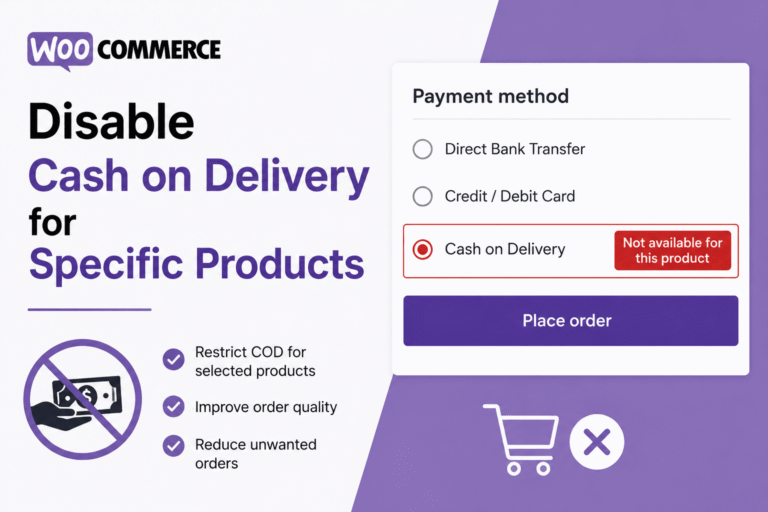
WooCommerce Disable Cash on Delivery for Specific Products
Cash on Delivery can be a useful payment method for WooCommerce stores, but it may not be suitable for every product. High-value items, digital goods, fragile products, made-to-order inventory, or products with higher return risks often require prepaid payment methods instead.
By default, WooCommerce allows Cash on Delivery globally, which means customers can still select COD even when certain products should not qualify for it. Fortunately, you can change this behavior with a small custom snippet.
In this tutorial, you’ll learn how to automatically disable the Cash on Delivery payment gateway whenever specific WooCommerce products are added to the cart. The solution is lightweight, flexible, and does not require any additional plugins.
Once implemented, WooCommerce will automatically hide the COD payment option if restricted products are detected during checkout.
What This WooCommerce Snippet Does
- Checks products currently added to the WooCommerce cart
- Detects specific product IDs selected by the store owner
- Automatically disables Cash on Delivery during checkout
- Works with simple and variable products
- Improves payment control for selected inventory
- Requires no third-party plugins
WooCommerce PHP Snippet: Disable COD for Specific Products
The following snippet removes the Cash on Delivery payment method whenever restricted products exist inside the customer cart.
/**
 * Disable Cash on Delivery for Selected WooCommerce Products
 */

add_filter( 'woocommerce_available_payment_gateways', 'custom_wc_disable_cod_for_selected_products' );

function custom_wc_disable_cod_for_selected_products( $available_gateways ) {

    if ( is_admin() ) {
        return $available_gateways;
    }

    if ( ! is_checkout() ) {
        return $available_gateways;
    }

    if ( empty( WC()->cart ) ) {
        return $available_gateways;
    }

    /*
     * Add restricted WooCommerce product IDs below
     */

    $restricted_products = array(
        101,
        205,
        330
    );

    $disable_cod = false;

    foreach ( WC()->cart->get_cart() as $cart_item ) {

        $product_id = $cart_item['product_id'];

        if ( in_array( $product_id, $restricted_products, true ) ) {

            $disable_cod = true;

            break;
        }
    }

    /*
     * Remove Cash on Delivery Gateway
     */

    if ( $disable_cod && isset( $available_gateways['cod'] ) ) {

        unset( $available_gateways['cod'] );
    }

    return $available_gateways;
}
How This WooCommerce COD Restriction Works
The snippet hooks into WooCommerce payment gateway filtering during checkout. It scans all cart items and compares their product IDs against a predefined restricted product list.
If one of the restricted products is found, WooCommerce automatically removes the Cash on Delivery gateway from the available payment methods.
Customers will still be able to complete checkout normally using the remaining payment options available on your store.
How to Find WooCommerce Product IDs
To identify product IDs in WooCommerce:
- Go to Products inside your WordPress dashboard
- Hover over the product title
- The product ID will appear below the product name
- Add those IDs inside the $restricted_products array
Where Should You Add This Code?
Add the PHP snippet to your child theme’s functions.php file or use a dedicated WordPress code snippets plugin.
Before testing, temporarily switch to the Storefront theme and disable unrelated plugins to rule out WooCommerce conflicts.