When working with WordPress loops, you may need to retrieve and display posts using a custom query. WordPress provides functions such as WP_Query and get_posts() to fetch posts based on specific conditions.
However, custom queries can change the global post data used by WordPress template functions. If you do not restore the original post data after the loop, functions such as the_title(), the_permalink(), and the_content() may return unexpected results elsewhere on the page.
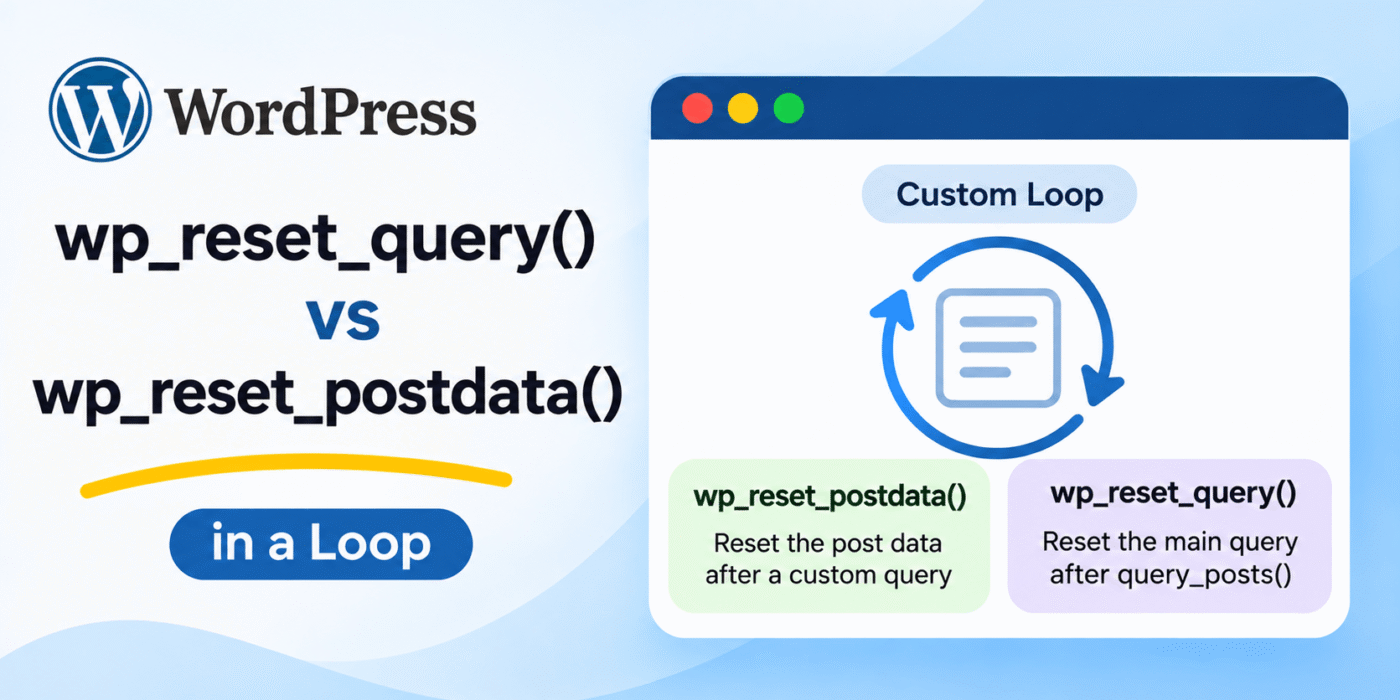
WordPress provides two functions to handle this: wp_reset_postdata() and wp_reset_query(). Although they are related, they are not interchangeable in every situation.
1. Difference Between wp_reset_postdata() and wp_reset_query()
Both functions help restore WordPress’s global query and post information, but they serve different purposes.
wp_reset_postdata()
Use wp_reset_postdata() after running a secondary query with WP_Query or setting up post data manually. It restores the global $post variable to the current post in the main query.
This is the function you will need most often when creating custom WordPress loops.
wp_reset_query()
Use wp_reset_query() when the global $wp_query object has been replaced or modified, particularly after using query_posts().
It restores the global query object to the original main query and also resets the post data.
In simple terms:
- wp_reset_postdata(): Restores the global post data after a secondary loop.
- wp_reset_query(): Restores the global query object and post data after the main query has been replaced.
You can review the official WordPress documentation for wp_reset_postdata() and wp_reset_query().
2. Use wp_reset_postdata() After a Custom WP_Query Loop
When you create a secondary query using WP_Query, WordPress updates the global post data as you move through the loop with the_post().
After completing the loop, call wp_reset_postdata() to restore the original post data.
<?php

$args = array(
    'post_type'      => 'post',
    'posts_per_page' => 5,
);

$my_query = new WP_Query( $args );

if ( $my_query->have_posts() ) {

    while ( $my_query->have_posts() ) {

        $my_query->the_post();

        the_title( '<h2>', '</h2>' );

    }
}

// Restore the original post data.
wp_reset_postdata();

?>
Here, WP_Query retrieves five posts. The the_post() method sets up the global post data for each result, allowing you to use standard WordPress template functions.
Once the loop finishes, wp_reset_postdata() restores the post data associated with the main query.
For more information, see the official WP_Query documentation.
3. Use wp_reset_postdata() After a get_posts() Loop
You can also retrieve posts using get_posts(). Unlike a standard WP_Query loop, get_posts() returns an array of post objects.
If you want to use template functions such as the_title() inside a get_posts() loop, call setup_postdata() for each post and reset the post data after the loop.
<?php

global $post;

$args = array(
    'post_type'      => 'post',
    'posts_per_page' => 5,
);

$my_posts = get_posts( $args );

if ( $my_posts ) {

    foreach ( $my_posts as $post ) {

        setup_postdata( $post );

        the_title( '<h2>', '</h2>' );

    }

    wp_reset_postdata();
}

?>
The setup_postdata() function prepares the global post information for each post object. After processing the array, wp_reset_postdata() restores the original post data.
Read the official WordPress documentation for get_posts() and setup_postdata().
4. Use wp_reset_postdata() After Setting Up a Single Post
You may sometimes retrieve a single post by its ID and use WordPress template functions to display its information.
In this case, you can assign the post object to the global $post variable, call setup_postdata(), and restore the original post data afterward.
<?php

global $post;

$post = get_post( 123 );

if ( $post ) {

    setup_postdata( $post );

    the_title( '<h2>', '</h2>' );

    the_content();

    wp_reset_postdata();
}

?>
Replace 123 with the ID of the post you want to display.
This example temporarily sets up the selected post so that template functions can access its information. The reset call restores the post data from the main query.
5. When Should You Use wp_reset_query()?
In most custom loop implementations, wp_reset_postdata() is sufficient. You generally do not need wp_reset_query() after creating a secondary WP_Query object.
The main situation where wp_reset_query() is needed is after using query_posts(), because that function replaces the global $wp_query object.
For example:
<?php

query_posts( array(
    'post_type'      => 'post',
    'posts_per_page' => 5,
) );

if ( have_posts() ) {

    while ( have_posts() ) {

        the_post();

        the_title( '<h2>', '</h2>' );

    }
}

// Restore the original main query.
wp_reset_query();

?>
This example demonstrates how to restore the original query after query_posts().
However, WordPress does not recommend using query_posts() for custom queries. It modifies the main query and can cause pagination and other unexpected behavior. Use WP_Query for secondary queries instead.
6. What Is the Difference Between Resetting a Query and Rewinding a Loop?
Resetting post data and rewinding a loop are two different operations.
If you want to start a loop again from its first result, use rewind_posts(). This resets the loop position without creating a new query or restoring the main query.
<?php

if ( have_posts() ) {

    while ( have_posts() ) {

        the_post();

        the_title( '<h2>', '</h2>' );

    }

    // Start the same loop again.
    rewind_posts();

    while ( have_posts() ) {

        the_post();

        the_title( '<h3>', '</h3>' );

    }
}

?>
This example displays the same posts twice, first with an h2 heading and then with an h3 heading.
Use rewind_posts() when you need to repeat the current query loop. Use wp_reset_postdata() or wp_reset_query() when you need to restore the original WordPress post or query context.
See the official rewind_posts() documentation for more details.
7. Which Function Should You Use?
Use this quick reference when deciding which function to call:
- Custom WP_Query loop: Use
wp_reset_postdata()after the loop. - get_posts() with setup_postdata(): Use
wp_reset_postdata()after processing the posts. - Single post with setup_postdata(): Use
wp_reset_postdata()after displaying the post. - After query_posts(): Use
wp_reset_query()to restore the original main query. - Repeat the same loop: Use
rewind_posts().
Conclusion
wp_reset_postdata() and wp_reset_query() are important WordPress functions, but they are designed for different situations.
Use wp_reset_postdata() after secondary queries and manually prepared post data. Use wp_reset_query() when you have replaced the global query object, such as after using query_posts().
For most custom WordPress loops, wp_reset_postdata() is the function you should use. Avoid query_posts() in new development and prefer WP_Query for custom queries.